Tutorial 11 of 11
Map projects in a shared workspace
Intermediate 5 min
Save a Cartograph project to a team workspace, work on posters, routes and meeting points together live, and give viewers a read-only map.
Cartograph works without an account. When a team plans a poster, a GPS-art route or a meeting point together, save the project to a shared workspace: everyone opens the same project, sees changes live, and viewers can look without changing anything.
Save a project to a workspace
- Open the project you want to share.
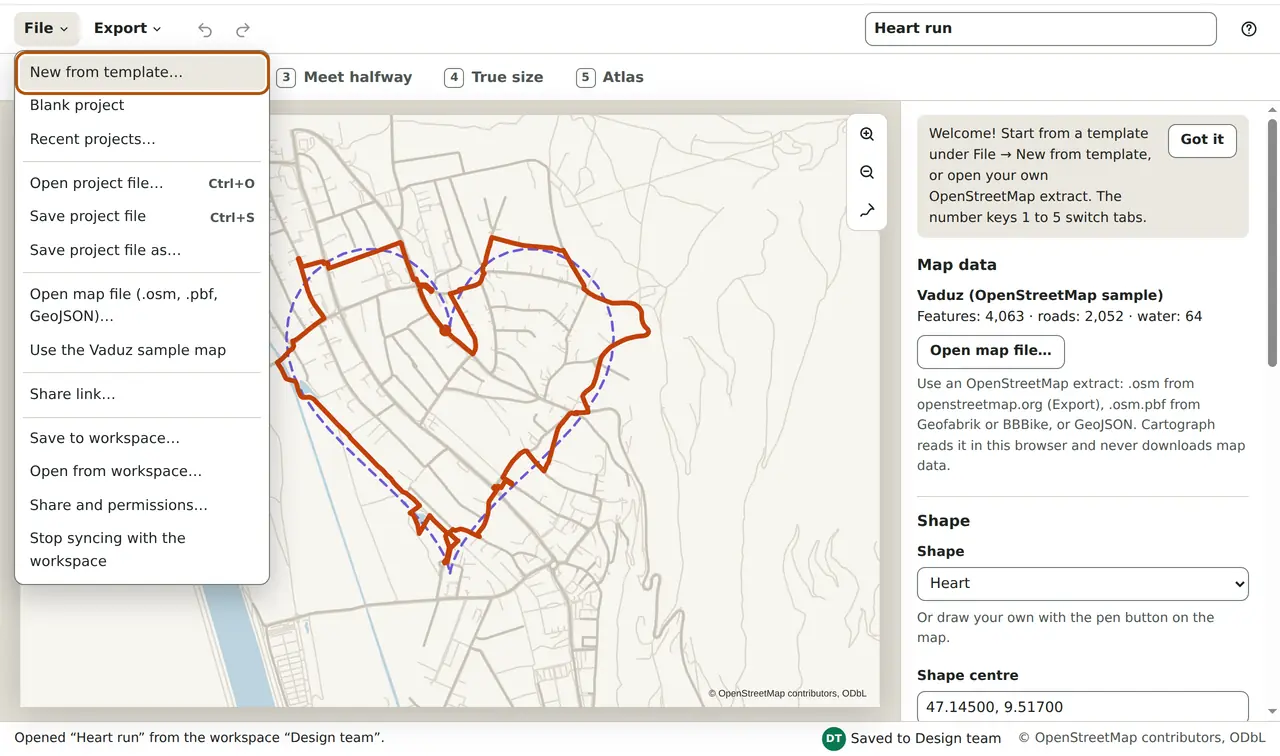
- Choose File → Save to workspace…. Sign in with a passkey (or Google) if you have not yet, then pick a workspace or create one.
- Check the title and press Save.
Each project becomes one document in the workspace: poster settings, route shape, meeting group, true-size choice and the name of the map. The status bar shows the workspace, the save state and the people who have the same project open right now. From now on every change is saved to the workspace a moment after you make it.
Invite your team and open shared projects
Choose File → Share and permissions… to create invite links with a role (member, viewer or guest), to limit who may open or change this project, and to copy its direct link. A direct link ends in #teamdoc= and opens the project for everyone who has access.
Team members find every shared project under File → Open from workspace…, with a filter by title.
Working together live
When a teammate saves a change, it appears in your copy within a second or two and the status line names who made it. If two people change the project at the same moment, Cartograph asks whether to load their version, keep yours or save yours as a copy.
Viewers see, but do not change
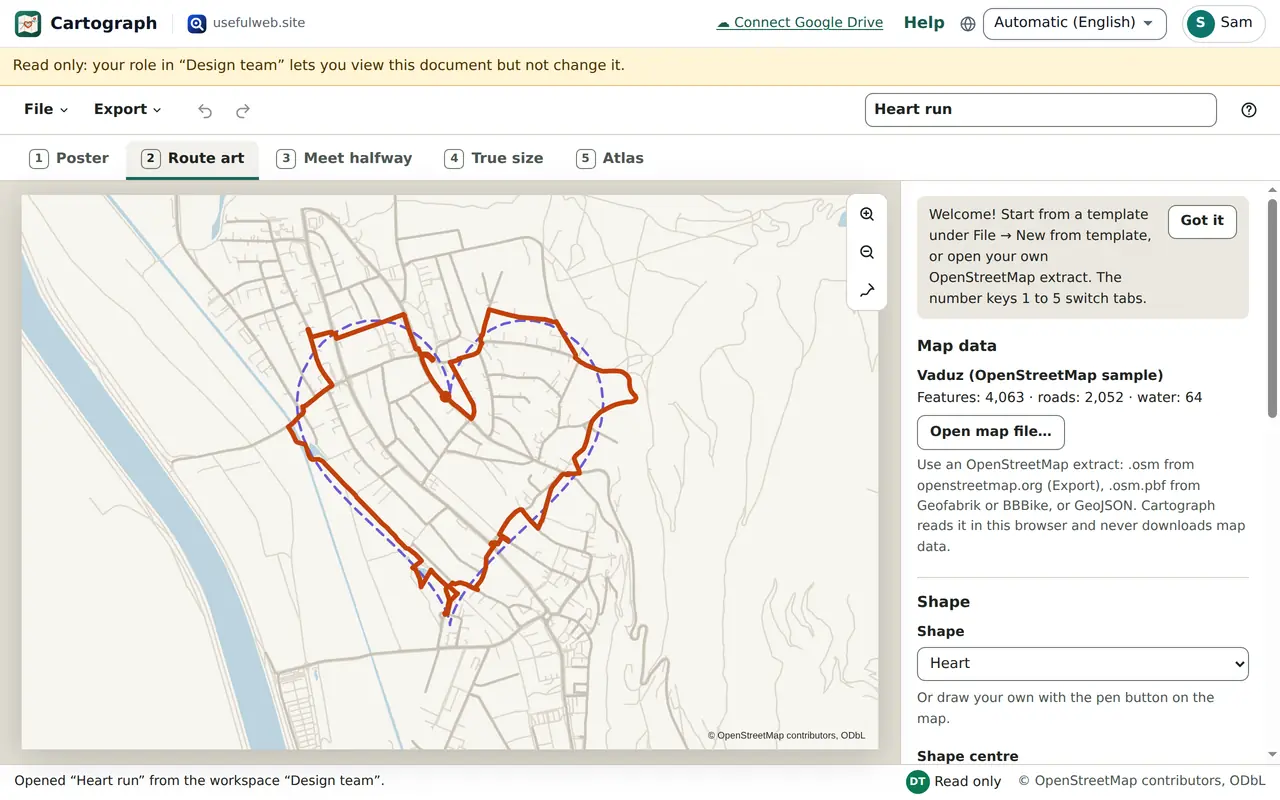
People with the viewer role get a yellow read-only note at the top and Read only in the status chip. They can still switch between the tabs, use the Atlas and export posters, routes and maps. Every change is refused with a short message, and the server refuses it too.
What is not shared
Your own OpenStreetMap file and a GPS track drawn on the poster are saved only in this browser and are not shared. A teammate who opens a project made with your own map file sees a note and opens their own copy of the same file; projects with the built-in Vaduz sample work for everyone at once. The open tab and the Atlas (quiz settings and your review history) are personal and never synced.
Stop syncing
File → Stop syncing with the workspace keeps the current state as a normal project in this browser; the shared copy stays in the workspace for everyone else. Opening another project, a template or a file also stops syncing. While you stay signed in, the shared project opens again the next time you start the app.
Ready to try it?